
Developers don't like being told their appearance matters. The culture values code over aesthetics, output over optics. For the most part, that's healthy.
But your GitHub avatar does something. It sits next to every commit, every pull request, every issue comment, and every contribution graph. It appears on your profile, which is increasingly a professional portfolio. If you're active in open source, it's how thousands of developers recognize you across repositories.
The default GitHub avatar is a geometric pattern called an identicon. It's functional but impersonal. The most common upgrade is a photo of a pet, a cartoon, a meme, or a very old selfie. None of these are wrong. GitHub isn't LinkedIn.
But there's a growing segment of developers who use GitHub as a professional tool. Open source contributors building a reputation. Developers whose GitHub profile IS their resume. Tech leads and engineering managers who want to be taken seriously in code review. Freelance developers whose GitHub activity is a selling point.
For these people, a professional-but-not-corporate headshot hits the sweet spot between "I take my work seriously" and "I'm not a suit."
When Your GitHub Photo Matters
Job applications. An increasing number of hiring managers and technical recruiters check GitHub profiles as part of the interview process. Your avatar is the first thing they see.
Open source contributions. If you're a maintainer or frequent contributor, your avatar becomes your brand in the community. People associate your face or avatar with your code.
Conference talks and tech blogging. Speaker bios and blog author sections often pull from GitHub or use the same photo. Consistency helps.
Freelance development. Clients who evaluate your GitHub before hiring you are forming impressions from everything, including your profile photo.
Internal developer platforms. Many companies use GitHub Enterprise or similar tools where your avatar appears in code reviews, PRs, and team communications.
Developer social platforms. Dev.to, Hashnode, Stack Overflow Careers, and similar platforms often use the same photo across the ecosystem.
The Developer Headshot Aesthetic
The tech industry has its own visual language. A standard corporate headshot on GitHub would look out of place. What works:
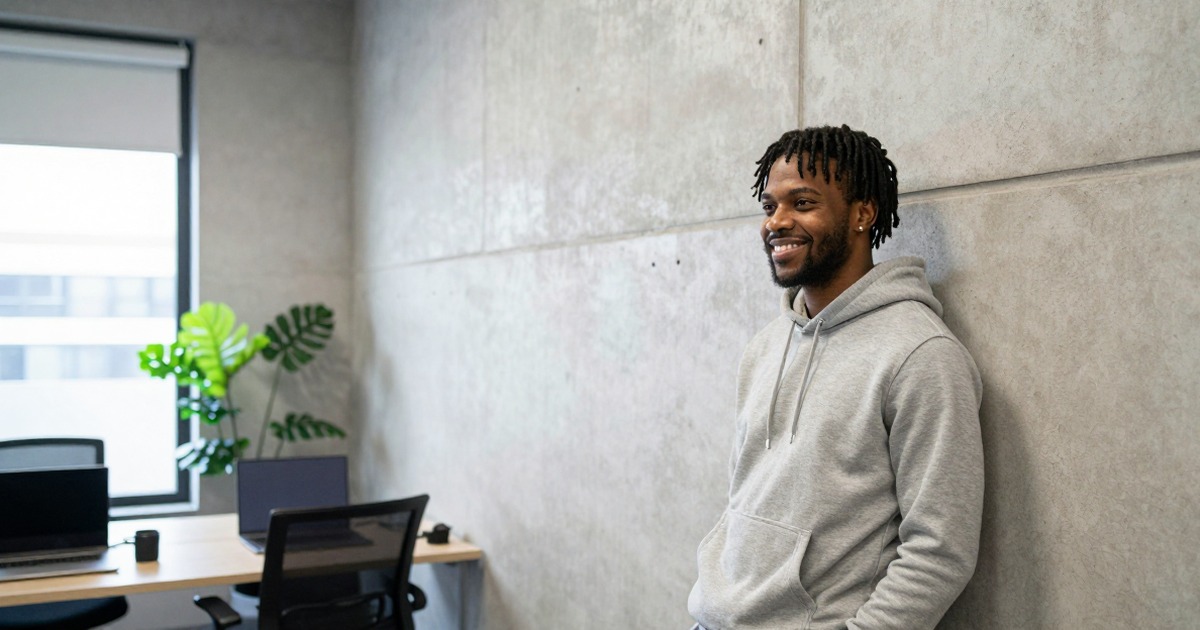
Clean but casual. A well-lit photo with a neutral background, wearing whatever you'd wear to code. T-shirt is fine. Hoodie is fine. The key is that the photo is intentional, not accidental.
Good lighting, minimal staging. Natural window light, clean background, no studio strobes. The photo should look like "me at my best" not "me at a photo studio."
Recognizable at small sizes. GitHub avatars render as small as 20x20 pixels in some contexts. Your face should be recognizable even at thumbnail scale. This means tight framing and good contrast.
Personality welcome. Unlike corporate headshots, developer headshots can show more personality. A genuine smile, a slight smirk, or a focused expression all work. The goal is "person I'd enjoy collaborating with."
Why AI Headshots Make Sense for Developers
Most developers who need a professional-ish headshot share a common objection: "I don't want to deal with a photographer." Fair. AI headshots are the engineering solution:
Process-oriented. Upload photos, configure parameters or presets, get output. It's closer to how developers think about problems.
No social overhead. No scheduling, no small talk with a photographer, no "turn your head slightly left." Just you and your phone.
Fast iteration. Generate 30 options in minutes. Pick the best one. If none work, adjust inputs and regenerate. The workflow is test-iterate-ship.
Low cost, high ROI. Under $30 for Narkis.ai. Less than a nice mechanical keyboard. Probably less than your monthly coffee budget.
Consistent across platforms. Generate once, use everywhere: GitHub, LinkedIn, Dev.to, conference profiles, Slack, Discord. One session covers your entire professional presence.
Getting Results That Don't Look Corporate
The key to a good developer headshot is avoiding the "I just came from a board meeting" look:
Training photos: Wear what you normally wear. Seriously. The AI learns from your input. If you train it with button-down photos, you get button-down headshots.
Presets: Choose casual or creative presets over corporate ones. "Professional portrait" works. "Executive corporate headshot" will look wrong on GitHub.
Background: Soft, neutral colors. Not stark white, which looks too corporate. Not busy patterns, which are too distracting at small sizes. A subtle blur or soft gradient works well.
Expression: Natural. If you're a person who smiles easily, smile. If you're more neutral by default, that's fine too. Forced smiles are worse than no smile.
Platform-Specific Optimization
GitHub
- Avatar displays at sizes from 20x20 to 460x460 pixels
- Square crop, so center your face in a square frame
- Good contrast matters because many users browse in dark mode
- Your avatar sits next to your username in commits and PRs, so it functions as a visual identifier
- Circular crop, so avoid important details at the edges
- More professional tone is expected here
- This is often where recruiters first encounter you
Dev.to / Hashnode / Medium
- Your photo appears next to articles and comments
- Friendly, approachable energy works well for tech writing
- Recognizability matters if you're a regular contributor
Stack Overflow
- Small avatar next to answers
- High contrast and clear face win at tiny sizes
Conference Speaker Profiles
- Often displayed larger, on projector screens
- Higher quality photo matters here
- Should match whatever's on your other platforms
The "I Don't Care About This Stuff" Argument
Valid. Many excellent developers have never thought about their profile photo and never will. If you're not using GitHub professionally, if you're not job hunting, and if your open source contributions speak for themselves, a default identicon or a photo of your cat is fine.
This article is for the developers who DO use their online presence professionally and want their visual presentation to match the quality of their code. For them, spending 15 minutes and $27 on an AI headshot that covers every platform for the next year is a reasonable optimization.
Think of it as refactoring your public interface.



