
Most people spend hours agonizing over their outfit and expression for a headshot. Then they stand in front of whatever wall happens to be nearby. That's backwards.
Your background isn't just the space behind you. It's the frame that tells viewers where to look, what to think about your professionalism, and whether you fit into their world. Get it right and you vanish into the industry standard. Get it wrong and you signal that you don't know what you're doing.
Why Background Choice Actually Matters
A headshot has one job: put you front and center. Everything else should support that or get out of the way.
Visual hierarchy is simple physics for attention. High contrast pulls the eye. Movement pulls the eye. Detail pulls the eye. If your background has any of these working against your face, you lose. The viewer's brain processes the busy bookshelf or the bright window before it registers your expression. You're fighting your own image.
Backgrounds signal context. A solid gray says "corporate professional." A library says "academic or author." A brick wall says "creative agency." An office with visible branding says "established company." Each choice sends a message about where you belong. Miss the mark for your industry and you look like you wandered into the wrong building.
Team consistency matters more than individual preference. When everyone on the leadership page has a different background style, it looks like nobody talked to each other. Matching backgrounds make a team look coordinated and intentional. Same color, same style, same depth.
Solid Colors: The Default for a Reason
Solid backgrounds dominate professional headshots because they solve the visual hierarchy problem completely. No detail, no distraction, pure focus on the face.
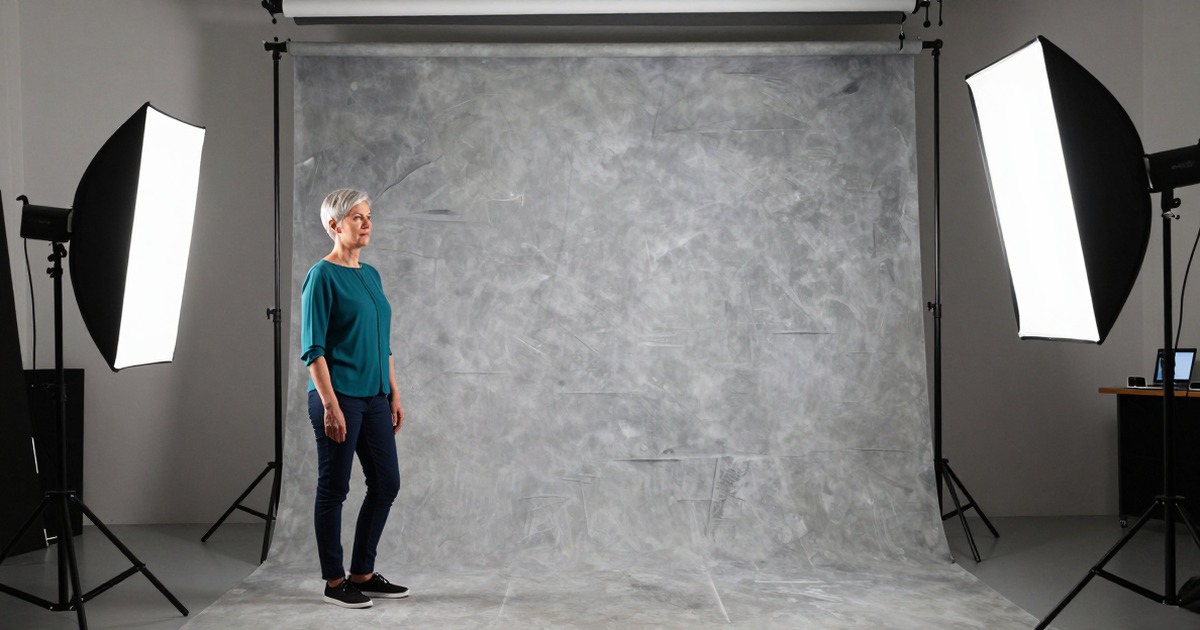
Gray is the safest choice. Medium to light gray works across skin tones, doesn't cast color onto faces, and reads as professional without being stark. Darker grays add drama. Lighter grays feel modern and airy. Both work.
White backgrounds are high risk. They require perfect lighting to avoid looking washed out, and they can make people with lighter skin tones disappear into the frame. When done well, white feels clean and minimal. When done poorly, it feels like a passport photo.
Colored backgrounds need precision. Navy works for finance and law. Burgundy works for consulting and healthcare. Teal works for tech. But the saturation has to be right. Too bright and it overwhelms. Too dull and it looks muddy. And you need to avoid colors that clash with your natural coloring or clothing.
Gradients: A Little Depth Without the Risk
A subtle gradient adds dimension without adding distraction. Light gray fading to medium gray, for example. It keeps the clean simplicity of a solid color while preventing the completely flat look that cheaper solid backgrounds can have.
The key word is subtle. A dramatic gradient from black to white looks like a 1990s yearbook photo. A gentle fade from one shade to a slightly darker version of the same shade looks polished.
Environmental Backgrounds: When Context Adds Value
Sometimes the setting matters. Authors benefit from bookshelves. Architects benefit from visible projects. Restaurant owners benefit from their dining rooms. The background becomes proof of expertise.
Environmental backgrounds only work when they're controlled. Natural settings introduce too many variables. Parks, streets, generic offices. Lighting changes, colors compete, random details creep into frame. You need either a carefully curated space or the ability to blur everything but the immediate context.
Blur depth matters. Too little blur and you're back to distraction. Too much blur and you lose the context that justified using an environmental background in the first place. The sweet spot keeps the setting recognizable but not detailed.
For ideas on matching backgrounds to your industry and style, see our guide to headshot background ideas.
Industry-Specific Recommendations
Corporate (finance, law, consulting): Solid medium gray or navy. Clean, conservative, no surprises. Gradients acceptable if very subtle.
Tech and startups: Light gray, white if properly lit, or subtle office environments. Modern and minimal beats traditional here.
Creative fields (design, marketing, media): More flexibility. Textured walls, gentle environmental blur, or even bold solid colors work if they match your brand.
Healthcare and education: Medium gray, soft blues, or blurred clinical/academic environments. Approachable but professional.
Real estate and hospitality: Often benefit from subtle environmental context. Blurred office, property, or venue backgrounds signal the business without overwhelming the face.
Executive and C-suite: Solid backgrounds, usually gray or very subtle gradients. Environmental backgrounds only if the setting is unmistakably high-end.
Common Background Mistakes
Too busy. Bookshelves with visible titles, offices with identifiable objects, outdoor settings with moving elements. All of these steal attention from your face.
Wrong color temperature. Cool backgrounds with warm lighting, or vice versa, create a color clash that makes the whole image feel off.
Inconsistent with team. Five people on a page, five different background styles. It signals disorganization.
Poor lighting on the background. Uneven shadows, hot spots from windows, visible edges where a backdrop ends. These aren't subtle problems. They scream "amateur."
Too trendy. That geometric pattern background looked fresh in 2019. Now it dates the photo. Stick with timeless unless you plan to update annually.
How AI Tools Handle Backgrounds
AI headshot tools have changed the background game completely. Traditional photography required physical backdrops or careful location scouting. AI headshots generate backgrounds from scratch or swap them in post-processing.
The advantage is flexibility. One photo session, unlimited background options. Try gray, try navy, try a blurred office, see what works. Tools like Narkis.ai offer custom backgrounds from studio neutrals to environmental settings, all generated to match your lighting and perspective. Starting at $27.
The catch is realism. Early AI backgrounds had telltale artifacts. Weird blur patterns, lighting mismatches, unnatural color casts. Current tools handle this much better, but you still need to check that the background perspective matches your pose and that edge detail around hair and shoulders looks natural.
Consistency becomes trivial. Need 20 team members on matching gray backgrounds? AI ensures perfect color matching across all images, something that's surprisingly hard with physical backdrops and different lighting sessions.
Choosing Your Background: The Decision Framework
Start with industry standards for your field. If you don't know what those are, look at the LinkedIn profiles and company websites of people two levels above you. Match that.
Then consider your team. If you're part of a company page or team directory, your background should match everyone else's. If you're solo, you have more freedom.
Finally, test context. Does your field benefit from environmental cues, or do you need pure focus on your face? Lawyers rarely need visible law libraries. Authors often benefit from visible books. Sales professionals and consultants usually do better with neutral backgrounds that don't compete with the wide range of contexts where they'll be seen.
FAQ
What's the most versatile background color for professional headshots?
Medium gray. It works across industries, doesn't cast color onto skin tones, and pairs well with any clothing color. It's the safe choice that never looks wrong.
Should I use the same background for LinkedIn, my website, and my email signature?
Yes, unless you have a specific reason to differentiate. Consistent backgrounds make you more recognizable across platforms and signal attention to detail.
Can I use an outdoor background for a professional headshot?
Rarely. Outdoor backgrounds introduce too many variables. Changing light, distracting elements, weather. They tend to read as casual rather than professional. The exceptions are fields where outdoor context adds value. Environmental consultants, landscape architects, outdoor industry professionals.
How blurred should an environmental background be?
Blurred enough that no individual object is fully sharp, but not so blurred that the context becomes unrecognizable. You want viewers to register "office" or "library" without being able to read text or identify specific items.
Do I need to match my background color to my outfit?
No. In fact, matching too closely can make you blend into the background. You want enough contrast to separate you from the setting. Medium gray works with nearly any outfit color. Avoid backgrounds that are too close in value to your clothing. Lightness or darkness matters more than hue.
Your background choice won't make a mediocre headshot great, but it can absolutely make a good headshot ineffective. Choose with intention, match your context, and keep the focus where it belongs: on your face.



