
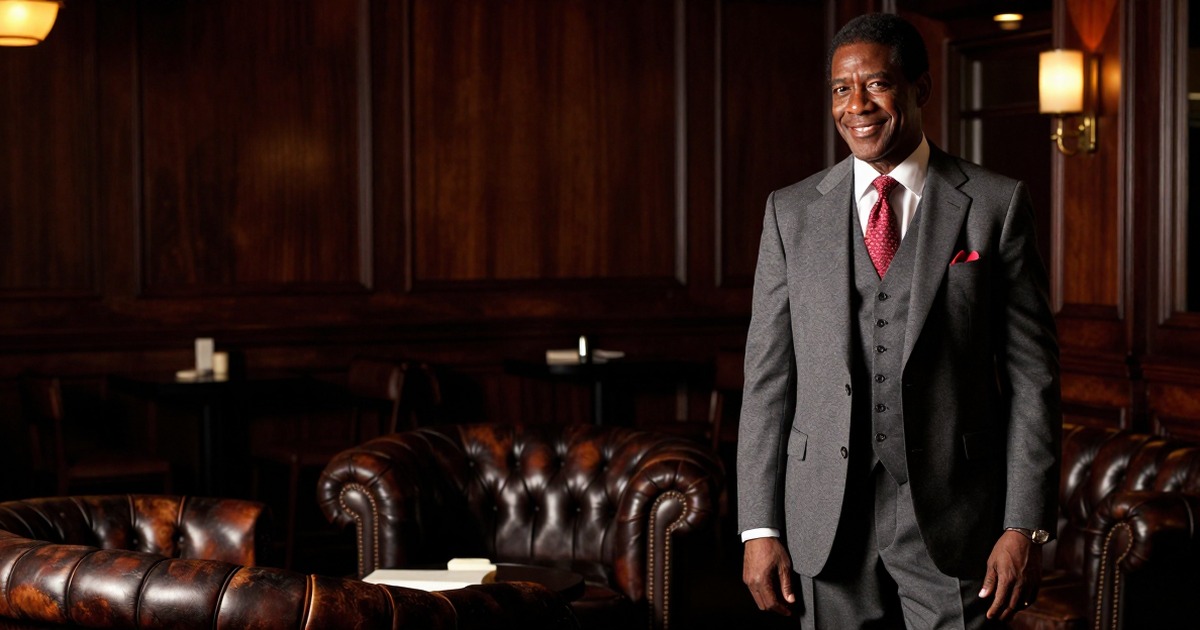
Nobody hands you a manual when you need your first professional headshot. You figure it out through trial and awkward error, usually after committing at least one visible mistake.
The rules exist. They just live in that frustrating space between common knowledge and actual documentation. Here's what people wish someone had told them before they posted that cropped group photo on LinkedIn.
When AI Headshots Are Actually Fine
The AI versus photographer debate has a simple answer that nobody wants to hear: it depends on context, and that context matters more than you think.
AI headshots work for routine professional needs. Your Slack profile. Internal company directory. LinkedIn when you're employed and not actively job hunting. The contractor portal where clients need to match your name to a face. These situations call for professional appearance, not artistic excellence.
AI headshots shine when you need quick updates across multiple platforms or when your appearance changes frequently enough that paying for studio sessions becomes impractical. Services like Narkis.ai can generate professional headshots starting at $27. That makes sense for people who need to refresh their image several times a year.
But AI has clear boundaries. Pitch decks where you're asking for money. Executive team pages on company websites. Conference speaker lineups. Press kits. Book jacket photos. Anywhere your photo represents organizational credibility or where you're being featured specifically for your expertise, get a photographer.
The test: if your photo fails, does it cost someone else money or reputation? If yes, hire the photographer.
The Job Change Photo Problem
You left your last company. They paid for professional headshots during onboarding. Those photos live on their website, in their marketing materials, and in your personal archive. Can you keep using them?
Legally, it varies by contract. Practically, most people do it anyway. Ethically, there's a middle path.
If the photos show you in generic professional attire against a neutral background, most former employers won't care. If the photos were taken in branded company space, feature company products, or were part of marketing materials where you represented the company publicly, leave them behind.
The real issue isn't permission. It's that updating your headshot when changing jobs signals intentionality. People notice when your LinkedIn photo still shows you in the polo shirt with your old company's logo barely cropped out. It reads as unprepared.
Budget three to six months at a new role, then update. This gives you time to settle in while avoiding the "still mentally at the old job" appearance.
Photo Rights Nobody Explains
You paid the photographer. You own the photos, right?
Not necessarily. Professional photography operates on usage rights. The confusion around this creates more problems than almost any other aspect of headshot etiquette.
Standard professional photography contracts give you usage rights while the photographer retains copyright. You can use the photos for professional purposes. You cannot sell them, use them in commercial products, or grant others the right to use them without agreement.
This matters when your employer wants your headshot for the team page. You need to confirm your usage rights allow commercial use by third parties. Most contracts do. Some photographers restrict this, especially for lower-tier packages.
AI-generated headshots sidestep this entirely. The rights structure is simpler because there's no human creator with copyright claims. You generate the image, you use it however you want.
Always read the fine print. If you're hiring a photographer, confirm that usage rights include:
- Personal commercial use
- Third-party commercial use for employer websites and publications
- Modification rights for cropping and color correction
- Multi-year usage
Platform-Specific Rules That Actually Matter
LinkedIn accepts casual professional shots. Twitter expects personality. Your company website demands polish. The same photo rarely works everywhere, but people try anyway.
LinkedIn forgives a lot. The platform has normalized the "nice shirt, neutral background, decent lighting" standard. You can get away with a good AI headshot or a well-lit photo from a decent camera. The stakes are lower because everyone else is in the same rough quality band.
Executive platforms like Apollo, Crunchbase, or board member directories have higher standards. These aggregate professional information, and users expect visual consistency with the seriousness of the context. A photo that works on LinkedIn looks underprepared next to other executive headshots.
Social media platforms allow range. Twitter, Instagram, and Facebook let you use casual shots, candid moments, or even illustrated avatars. The expectation isn't professional polish. It's authentic representation.
The common mistake: using your Twitter photo for LinkedIn or your polished headshot for Instagram. Each platform has implicit rules. Professional headshots work differently across contexts.
Mistakes People Keep Making
Some headshot errors persist despite being obviously wrong. People make them anyway, usually out of convenience or misplaced attachment.
The cropped group photo. You look great in that conference photo, so you crop everyone else out and use it. The cropped shoulders and awkward framing give it away immediately. Group photos are composed for groups. Cropping them creates images that look exactly like cropped group photos.
The vacation background. Professional headshot, beach sunset background. The cognitive dissonance is immediate. Even if you're wearing business attire, the tropical background undermines the professional signal. Neutral backgrounds exist for a reason.
The five-year-old photo. Your appearance changed. The photo didn't. Using outdated headshots creates an expectation mismatch when people meet you in person. It signals either vanity or neglect. Neither helps your professional image.
The extreme close-up. Headshots should show head and shoulders. Photos cropped to just your face feel claustrophobic and suggest you don't understand basic framing conventions.
The obviously filtered face. Light retouching is standard. Smoothing yourself into an uncanny valley of perfect skin is not. People can tell. It raises questions about judgment.
Remote workers make specific headshot mistakes that office workers avoid naturally, usually around lighting and background choices. Home offices require deliberate setup that office environments provide by default.
The Update Cadence Nobody Agrees On
How often should you update your professional headshot? The answer depends on what changed.
Major appearance changes require immediate updates. New haircut that dramatically altered your look. Significant weight change. Added or removed facial hair. Corrective dental work. Anything that makes your old photo no longer representative.
Minor appearance changes can wait. Slight weight fluctuation. Gradual graying. Subtle style evolution. These accumulate slowly enough that you can batch them into periodic updates.
Job changes suggest updates even when your appearance hasn't shifted. New role, new photo signals fresh start. It doesn't have to be immediate, but within six months keeps things aligned.
The default cadence: every two to three years, even if nothing major changed. Photos age in subtle ways. Clothing styles shift. Background trends evolve. Lighting techniques improve. A photo from 2020 looks dated in 2026, even if you look largely the same.
The Practical Approach
Most headshot etiquette comes down to context awareness and intentionality. Know where the photo will appear. Understand what that platform or situation demands. Match your approach to the stakes.
For routine professional needs where you're not being featured or evaluated based on the photo itself, AI tools work fine. For anything where the photo represents credibility, expertise, or organizational quality, invest in professional photography.
Update when your appearance changes or your professional context shifts. Don't use cropped group photos. Keep backgrounds neutral unless the context explicitly calls for personality. Understand your usage rights before you need to know them.
The rules aren't complicated. They're just unwritten. Now they're written.
Frequently Asked Questions
Can I use the same headshot for LinkedIn and my company website?
Usually, yes. Both contexts expect professional polish. The same neutral, well-lit headshot works for both. The exception is if your company has specific branding guidelines or style requirements that differ from standard LinkedIn presentation.
Should I smile in my professional headshot?
A natural, slight smile reads as approachable and professional. Broad grins can seem forced. Completely serious expressions can read as stern. Aim for the expression you'd have when greeting a respected colleague.
What should I wear for a professional headshot?
Solid colors in business or business-casual attire. Avoid busy patterns, visible logos, or clothing that will date quickly. Your outfit should support the professional impression without demanding attention.
How do I know if my headshot is too old?
If people who meet you in person noticeably react to the difference between your photo and current appearance, it's too old. If your photo shows a previous hair color, significant weight difference, or outdated styling, update it.
Are AI headshots acceptable for job applications?
For most industries and roles, yes. The key is quality and professionalism, not the creation method. For executive roles, creative industries, or positions where visual presentation is part of the job requirements, invest in professional photography.



