
Your LinkedIn profile photo is the first thing recruiters, clients, and potential business partners see. According to LinkedIn's own data, profiles with professional headshots receive 14x more views and 36x more messages than those without. Yet most professionals are still using cropped vacation photos, outdated selfies, or that one decent shot from a friend's wedding five years ago.
Here's the problem: a traditional professional headshot session costs $150-400, requires scheduling, travel, and hoping you look your best on that particular day. AI headshot generators have completely changed this equation. For a fraction of the cost, you can generate dozens of studio-quality professional headshots from your existing photos. no photographer, no studio, no awkward posing.
We tested the top AI headshot generators specifically for LinkedIn use cases. Here's what we found.
Should I Use an AI Headshot for LinkedIn?
Yes, AI headshots are now realistic enough for LinkedIn and widely accepted by recruiters. Modern AI generators produce professional photos indistinguishable from studio photography at LinkedIn's display resolution. A professional-looking photo gets 14x more profile views according to LinkedIn data, and AI generators give you access to that level of quality for under $30.
The technology has crossed the credibility threshold. Where early AI headshots had that smoothed, uncanny look, 2026 tools like Narkis.ai produce photos that look genuinely human. Recruiters, hiring managers, and clients cannot tell the difference between an AI headshot and one from a photographer. What matters is that the photo looks professional and unmistakably like you.
The practical advantage is flexibility. Traditional photography locks you into whatever shots worked on that particular day. AI generators let you create dozens of variations with different backgrounds, lighting, and attire until you find the perfect match for your industry and personal brand. If you're actively job hunting, our guide on how to use AI headshots in your job search provides a comprehensive framework for deploying professional photos strategically throughout the application process.
Are AI Headshots Professional Enough for LinkedIn?
Yes, modern AI generators produce results indistinguishable from studio photos at standard LinkedIn resolution. The best tools train custom models on your actual facial features, creating realistic lighting, skin texture, and expressions that pass as professional photography. LinkedIn displays photos at relatively small sizes, which further closes any quality gap.
Professional means the photo communicates competence and credibility. AI headshots from quality generators accomplish that goal as effectively as traditional photography. The key is choosing a tool with strong likeness accuracy. The photo must look unmistakably like you, just with professional lighting and composition.
From a practical perspective, many Fortune 500 companies now use AI headshots for team pages and employee directories. Recruiters and hiring managers evaluate thousands of LinkedIn profiles weekly and cannot distinguish AI-generated headshots from photographer-taken ones. The stigma that existed in 2024 has completely disappeared. In fact, recent research shows that recruiters actually approve of AI headshots when they meet professional quality standards.
What Makes a Great LinkedIn Headshot (According to Data)
Before comparing tools, let's establish what actually works on LinkedIn. Research from PhotoFeeler (which has analyzed millions of profile photo ratings) and LinkedIn's own recommendations point to clear patterns:
- Professional attire matters more than you think. Wearing a suit or business-appropriate clothing increased perceived competence by 76% in PhotoFeeler studies. Even for creative industries, a polished look outperforms casual.
- Neutral or blurred backgrounds win. Solid colors (gray, light blue, white) or softly blurred office/outdoor backgrounds keep the focus on you. Busy backgrounds reduce likability scores.
- Good lighting is non-negotiable. Even, soft lighting (like window light or studio lighting) eliminates harsh shadows and makes you look approachable. The best AI generators simulate professional studio lighting automatically.
- An authentic smile increases likability by 3x. Not a forced grin, a genuine, slight smile with visible teeth tested highest for both likability and competence on PhotoFeeler.
- High resolution signals professionalism. LinkedIn recommends 400x400 pixels minimum, but top profiles use at least 800x800. Blurry or pixelated photos immediately undermine credibility.
💡LinkedIn's algorithm also favors profiles with professional headshots in search rankings. A quality AI headshot isn't just about looking good. it directly impacts how often you appear in recruiter searches.
For comprehensive statistics on LinkedIn headshot performance and adoption rates, see our detailed 2026 data analysis.
The 5 Best AI LinkedIn Headshot Generators in 2026 (Ranked)
We evaluated each tool on five criteria specific to LinkedIn headshots: photo realism, professional style options, likeness accuracy, value for money, and ease of use. Here's how they stack up.
1. Narkis.ai : Best Overall for LinkedIn Headshots
Price: $27 one-time payment | Photos: 200 generated images | Training: Upload 10-20 selfies
Narkis.ai takes a fundamentally different approach from headshot-only tools. Instead of generating a few preset headshot styles, it trains a custom AI model on your face from ordinary selfies. Once trained, you can generate professional headshots in any style, corporate, creative, casual professional, executive, plus dating photos, lifestyle shots, and creative portraits if you want them.
For LinkedIn specifically, this means you're not locked into 5-10 template styles. You can describe exactly what you want: "Professional headshot, navy suit, soft gray background, warm studio lighting" and get precisely that. The model understands your actual facial features, skin tone, and bone structure, so results look genuinely like you. not like a generic AI face wearing your hairstyle.
What stood out: The likeness accuracy was the best we tested. Where other tools occasionally produced results that looked "almost like you," Narkis consistently nailed the resemblance. The 200-photo allowance also means you can experiment extensively to find your perfect LinkedIn shot.
LinkedIn-specific strengths:
- Train once, generate unlimited professional styles
- Fine-grained prompt control for exact background, lighting, and attire
- 200 photos means you can A/B test different looks
- Same model generates headshots AND other photo types (dating, creative, lifestyle)
- One-time $27 fee with no subscription
2. HeadshotPro : Best for Teams and Bulk Orders
Price: $27/person | Photos: 40 headshots | Training: Upload 10+ photos
HeadshotPro is purpose-built for professional headshots and does that one thing well. Upload your photos, choose from preset professional backgrounds and styles, and receive your headshots within about two hours. The team pricing ($24/person for 5+) makes it a solid choice for companies standardizing their LinkedIn presence.
What stood out: Consistency. HeadshotPro produces reliably professional results with little variation in quality. The backgrounds are clearly designed for corporate use.
LinkedIn-specific strengths:
- Designed specifically for professional/corporate headshots
- Good team pricing for company-wide rollouts
- Consistent, predictable results
- Fast turnaround (approximately 2 hours)
Limitations: Only 40 photos per purchase. No creative control over prompts. You're choosing from their preset styles, not describing your own. No non-headshot options.
3. Aragon AI : Best for Speed
Price: $27/month | Photos: 40 headshots | Training: Upload 12+ photos
Aragon AI focuses on getting you professional headshots fast. Results typically arrive within an hour, and the quality is solid for standard corporate headshot needs. The interface is clean and straightforward.
What stood out: Speed of delivery and a polished user experience. If you need a LinkedIn headshot today, Aragon delivers quickly.
LinkedIn-specific strengths:
- Very fast turnaround (under 1 hour)
- Clean, intuitive interface
- Solid quality for standard professional headshots
Limitations: Monthly subscription model means ongoing cost. 40 photos per cycle. Limited style customization. Likeness accuracy was occasionally inconsistent in our testing. some results looked noticeably different from the source photos.
4. ProPhotos : Best Budget Option
Price: $25/batch | Photos: 20-40 headshots | Training: Upload 8+ photos
ProPhotos offers a straightforward, budget-friendly approach to AI headshots. The quality is good enough for LinkedIn, though it lacks the polish and realism of the top options. For professionals who just need a decent headshot quickly without overthinking it, ProPhotos gets the job done.
What stood out: Lowest barrier to entry. Simple process, reasonable results, affordable price.
LinkedIn-specific strengths:
- Most affordable entry point
- Simple, no-frills process
- Decent quality for the price
Limitations: Fewer style options. Lower photo count. Realism occasionally falls short. some results had that slightly "AI-processed" look that sharp-eyed viewers might notice. Limited background variety.
5. PhotoAI : Most Features, Highest Price
Price: $27/month | Photos: Varies by plan | Training: Upload photos for model training
PhotoAI offers a broad platform with headshots as one of many capabilities. The tool is feature-rich with various photo types and editing options. Quality is generally good, though the LinkedIn-specific headshot results were not consistently better than dedicated headshot tools despite the higher ongoing cost.
What stood out: Feature breadth. If you want a Swiss Army knife of AI photo generation, PhotoAI offers the most options.
LinkedIn-specific strengths:
- Wide variety of photo types beyond headshots
- Regular feature updates
- Multiple generation options
Limitations: Monthly subscription adds up. The platform tries to do everything, which means LinkedIn headshots don't feel as focused or optimized as dedicated tools. Interface can feel overwhelming for users who just want a professional headshot.
Head-to-Head Comparison
| Feature | Narkis.ai | HeadshotPro | Aragon AI | ProPhotos | PhotoAI |
|---|---|---|---|---|---|
| Price | $27 one-time | $27/person | $27/month | $25/batch | $27/month |
| Photos Included | 200 | 40 | 40 | 20-40 | Varies |
| Custom Prompts | Yes | No | Limited | No | Yes |
| Likeness Accuracy | Excellent | Good | Good | Decent | Good |
| LinkedIn Styles | Unlimited | 15+ presets | 10+ presets | 8+ presets | 20+ presets |
| Non-Headshot Photos | Yes | No | No | No | Yes |
| Turnaround Time | ~3 min training + instant generation | ~2 hours | ~1 hour | ~2 hours | ~1-2 hours |
| Subscription Required | No | No | Yes | No | Yes |
❗When calculating true cost, consider how many headshots you actually need. At $27 for 200 photos, Narkis.ai costs about $0.14 per headshot. HeadshotPro costs $0.73 per headshot. Subscription tools like Aragon and PhotoAI cost even more if you only need headshots once.
How to Optimize Your AI Headshot for LinkedIn
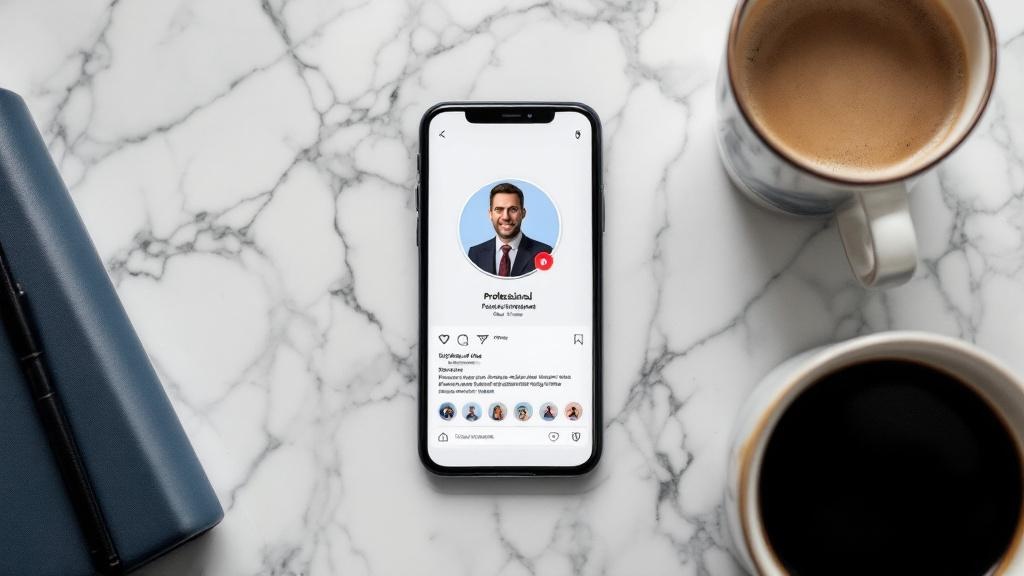
Getting a great AI headshot is step one. Optimizing it for LinkedIn's specific platform is step two. Here's exactly how to make your AI headshot perform best on LinkedIn.
Generate multiple variations, create at least 10-15 different headshots with different attire, backgrounds, and expressions. You want options.
Choose the right crop, LinkedIn displays photos as circles on most views. Make sure your face is centered and there's adequate space around your head. Avoid shots that crop awkwardly in a circle.
Match your industry, finance and law professionals should lean toward dark suits and neutral backgrounds. Creative professionals can use slightly warmer tones and less formal attire. Tech professionals do well with smart-casual looks.
Test before committing, upload your top 3 options to PhotoFeeler and let real people rate them for competence, likability, and influence. Data beats gut feeling.
Optimize the file, LinkedIn accepts JPG, PNG, and GIF up to 8MB. Upload the highest resolution version available. Don't compress or filter the image after generation.
Update your banner to match, a cohesive profile (matching color tones between headshot and banner) looks more polished and intentional. Many AI tools can generate complementary banner images too.
Set it and revisit quarterly, even the best headshot gets stale. Set a calendar reminder to evaluate your photo every 3-4 months and regenerate if needed.
Frequently Asked Questions
Get Your Professional LinkedIn Headshot Today
Your LinkedIn headshot is working for you 24/7. in recruiter searches, client research, and first impressions you'll never know about. An outdated or low-quality photo is actively costing you opportunities.
With AI headshot generators, there's no excuse for a subpar profile photo. For the price of a nice lunch, you can have 200 professional headshots that make you look like you hired a top photographer.
Generate Your Professional LinkedIn Headshot
Train your personal AI model with selfies and generate 200 studio-quality headshots. Professional, dating, and creative photos, all from one model. Just $27, one-time.
Get Started for $27


