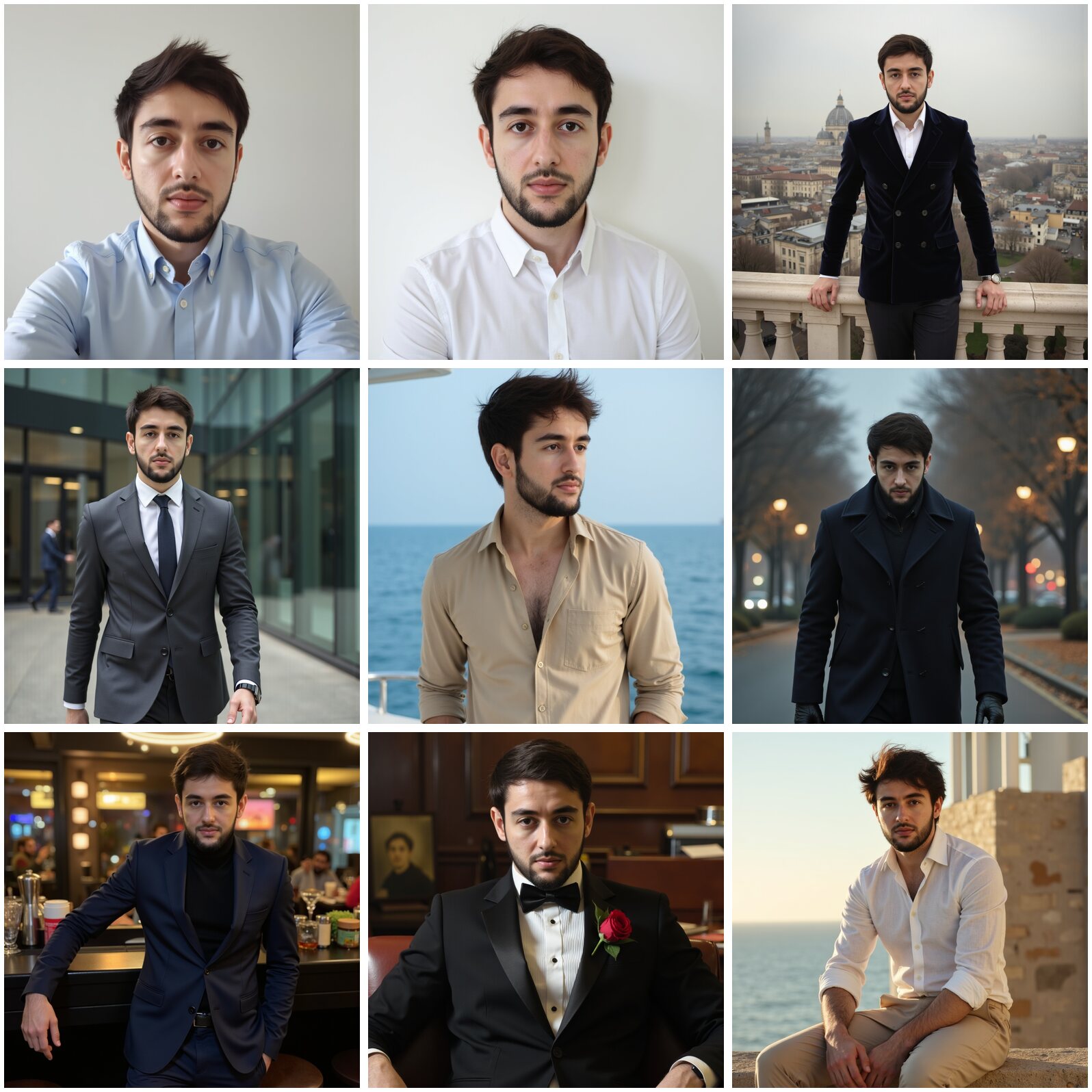
Dreamwave AI reviews on Reddit split into two camps: people who got a usable LinkedIn photo, and people who paid and found almost nothing that looked like them. The complaints that keep coming back are the same three: the price only shows up after you have uploaded your photos, a paid batch where "only 2" of 250 photos looked like the buyer, and no refunds once the shoot starts, which Dreamwave's own FAQ confirms. Narkis trains a personal AI model on 15 to 20 of your selfies in a median 6.5 minutes and gives you up to 200 photos for $27, with the price on the page before you upload anything.
What Reddit Says About Dreamwave (Word for Word)
What does Dreamwave cost?
after selecting and uploading a bunch of my personal pictures (which took some time), the site finally showed the price: $69 for just ONE portrait! That felt really misleading. I think they should definitely tell users the price before collecting personal data like photos.
Do the photos look like you?
I paid for the mid package for roughy 50 dollars, it gets you 250 photos plus one redo. Out of all 250 photos I found only 2 that look like me and not too fake looking.
I tried dreamwave and every picture turned out like dogsh*t. Followed every instruction for photos too. I would not recommend.
Can you get a refund?
DreamWave doesn't honor refunds at all which surprised me because they seem to be mentioned along the big names (Aragon, HeadshotPro, etc)
What about the free version?
they also have a queue for their free offering, but be prepared to wait. Last I checked it was over 3 weeks long.
The pattern across these threads: Dreamwave is a real headshot service that works for some people, but you commit your photos before you see the price, and if the batch misses your face, the money is gone.
Dreamwave in 2026: What Its Own Site Says
From Dreamwave's AI headshots page and FAQ, read on 22 November 2026:
- Photos needed: "Just 1 clear photo." The how-it-works steps say to upload one selfie where you like how you look.
- Turnaround: "Start to gallery in about two hours."
- Price: not listed on the landing page or FAQ; the price shows after upload. Reviewers such as codingem list tiers of $35 for 120 headshots, $59 for 250 and $99 for 500.
- Refunds: the FAQ says each shoot starts "the moment you upload, at which point it's too costly to refund", and there are no refunds if your input photos don't follow the guidelines.
- Free tier: "a few spots each day, but they fill fast, often within a minute or two."
One selfie is all the AI gets to learn your face from. That is why the same batch can hold a perfect LinkedIn shot and a stranger with your haircut: the model only ever saw one angle of you. A model trained on 15 to 20 photos has seen your face from every side, so it still looks like you in photo 200.
Dreamwave vs Narkis
- Price shown: Dreamwave shows it after you upload. Narkis lists every plan on the pricing page: Starter $27 for up to 200 photos, Premium $54 for up to 500 photos with 4 personal models.
- Input: Dreamwave uses 1 photo. Narkis trains a personal model on 15 to 20 of your selfies.
- Speed: Dreamwave quotes about two hours. Narkis models are ready in a median 6.5 minutes.
- What you get: professional headshots, LinkedIn photos, dating profile photos and anything you prompt, from the same model.
- Versus a photographer: a studio headshot has a median price of $321 in our data on 822 US cities; the headshot cost calculator shows your city.
Comparing headshot apps? Read what Reddit says about Aragon, HeadshotPro and BetterPic, see HeadshotPro vs Aragon, or open the full AI headshot comparison.
How to Get an AI Headshot That Looks Like You
- Take 15 to 20 fresh selfies in daylight with your phone's main camera: close-ups, a few from the chest up, two or three outfits. No filters, no beauty mode.
- Upload them once. Narkis trains your personal model while you wait, a median 6.5 minutes.
- Pick a headshot style (studio, office, outdoor) or write your own prompt, and generate a first batch.
- Keep the ones that look like you, generate more of those, and run your favourite through the free LinkedIn photo checker before you upload it.


